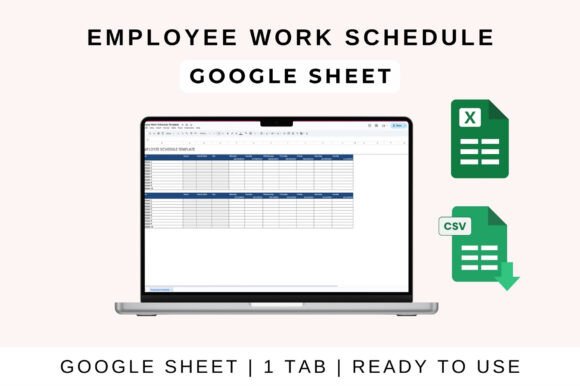
Employee Work Schedule Template
Managing employee schedules can be a complex task, especially for businesses with multiple shifts and staff members. The Employee Work Schedule Template simplifies this process by offering a clear, organized way to plan, track, and manage staff shifts across days and weeks. Whether you're running a small business, managing a team, or coordinating departmental activities, this tool helps ensure proper shift coverage, reduces scheduling conflicts, and improves overall workforce management.
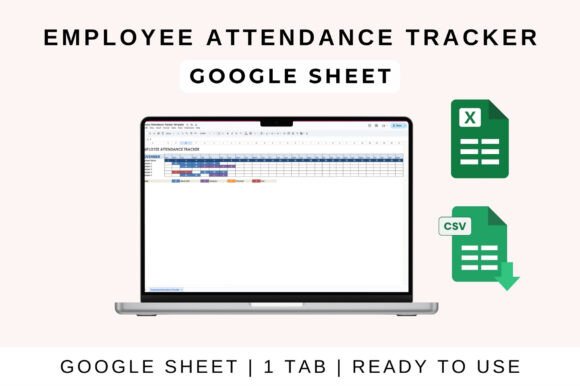
Designed with usability in mind, the template comes in both weekly and monthly formats, making it easy to adapt to different planning needs. It includes clearly marked shift times, employee names, and sections for breaks, overtime, and notes. This level of detail ensures that everyone stays informed and prepared for their responsibilities.
Key Features of the Employee Work Schedule Template
The Employee Work Schedule Template is packed with features that make it an essential tool for any manager or team leader. Here are some of its standout characteristics:
- Weekly and Monthly Formats: Choose the format that best fits your scheduling needs, whether you're planning for a single week or an entire month.
- Clear Shift Times and Employee Names: Easily identify who is working when with well-organized shift slots and name placements.
- Breaks, Overtime, and Notes Sections: Track employee breaks, overtime hours, and add custom notes for important details or reminders.
- Printable and Customizable: Print the schedule for physical distribution or customize it to match your company's branding and requirements.
- Compatibility: Works seamlessly with Google Sheets, Excel, and Apple Numbers, giving you flexibility in how you manage your data.
How to Use the Employee Work Schedule Template
Using the Employee Work Schedule Template is straightforward, regardless of whether you prefer Google Sheets or Microsoft Excel. Here’s how to get started:
How to Use in Google Sheets
- Open the File: Upload the template to Google Drive and open it in Google Sheets.
- Enter Your Data: Fill in the relevant categories with employee names, shift times, and other necessary information.
- Automated Calculations: Let the sheet handle the math—totals, shift durations, and other calculations update automatically as you input data.
- Customize as Needed: Adjust categories, formulas, and visuals to fit your specific workflow or company style.
- Share Collaboratively: Share the sheet with your team to enable real-time updates and keep everyone on the same page.
How to Use in MS Excel
- Download the File: Open the Excel version of the template on your desktop.
- Enable Editing: If prompted, click “Enable Editing” to access all the template’s functions.
- Input Data: Enter employee shift details, and let the built-in formulas update totals and summaries automatically.
- Analyze Insights: Use charts and summaries to gain a clearer understanding of your staffing patterns and trends.
Practical Applications Across Different Settings
The Employee Work Schedule Template is versatile enough to suit a wide range of environments. Here are a few examples of where it can be particularly useful:
Small Businesses: For retail stores, cafes, or service providers, the template helps ensure that there are always enough staff members on duty without overstaffing.
Teams and Departments: In larger organizations, it streamlines the process of assigning shifts to different teams or departments, reducing confusion and improving coordination.
Educational Institutions: Schools and training centers can use it to manage staff schedules for teachers, support staff, and administrative roles.
Freelancers and Creatives: Independent professionals can track their own work hours or manage a small team of collaborators using the same template.
Event Management: For event planners or organizers, the template helps assign staff to different shifts during large events or conferences.
Remote Teams: With the ability to share and collaborate in real time, it’s ideal for managing remote or hybrid teams across different time zones.
Benefits of Using the Employee Work Schedule Template
Adopting the Employee Work Schedule Template offers several advantages that can enhance productivity and communication within your team:
- Improved Usability: The intuitive layout makes it easy for managers and employees to understand and interact with the schedule.
- Increased Efficiency: Automating calculations and updates saves time and reduces the risk of human error.
- Enhanced Communication: A shared digital schedule ensures that everyone has access to the latest information, minimizing miscommunication.
- Professional Appearance: Customizable designs and clean formatting give your schedule a polished look that reflects your brand.
- Flexibility: Whether you need to adjust shifts, add new employees, or modify break times, the template adapts easily to changing needs.
Recommendations for Effective Use
To get the most out of the Employee Work Schedule Template, consider these tips:
- Involve Your Team: Get feedback from employees to ensure the schedule meets their needs and preferences.
- Update Regularly: Keep the template current with any changes in shift patterns, employee availability, or business demands.
- Integrate with Other Tools: Combine the template with project management software or communication apps for a more comprehensive approach to workforce management.
- Train New Users: Provide guidance to new team members so they can navigate and contribute to the schedule effectively.
- Review and Refine: Periodically assess how well the template works for your organization and make adjustments as needed.
The Employee Work Schedule Template is more than just a scheduling tool—it’s a valuable resource that supports better planning, communication, and productivity. Whether you’re managing a small team or a large department, this template offers the structure and flexibility you need to keep your workforce organized and efficient. By leveraging its features and adapting it to your unique needs, you can create a more streamlined and effective scheduling process that benefits everyone involved.