Understanding the Break-Even Analysis Template and Its Practical Applications
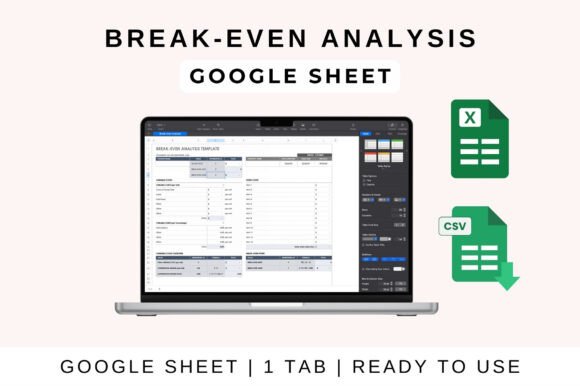
The Break-Even Analysis Template is a powerful tool that helps businesses determine the point at which they start making a profit. By analyzing fixed and variable costs, unit price, and sales volume, this template provides a clear picture of when revenue will cover all expenses. It’s an essential resource for startups, small businesses, and anyone involved in financial planning. With its ability to auto-calculate break-even points and visualize data, it simplifies complex financial decisions and supports informed strategies.
What Is a Break-Even Analysis?
A break-even analysis is a financial calculation that identifies the sales volume needed to cover all costs. At this point, a business is neither making a profit nor experiencing a loss. The Break-Even Analysis Template automates this process, allowing users to input key figures like fixed costs, variable costs per unit, and selling price. Once these values are entered, the template calculates the break-even point and displays it in a visual format.
This method is particularly useful for businesses looking to set prices, plan budgets, or evaluate new products. For example, if a company sells a product for $20 and has fixed costs of $1,000 with a variable cost of $10 per unit, the break-even point would be 100 units. This means the business needs to sell 100 units to cover all costs and begin generating profit.
Key Features of the Break-Even Analysis Template
The Break-Even Analysis Template comes with several features that make it both user-friendly and effective. One of the most valuable aspects is its ability to automatically calculate the break-even point once you input your data. This saves time and reduces the risk of manual errors. Additionally, the template includes profit margin calculations, helping users understand how much money they can expect to make beyond the break-even point.
Another standout feature is the built-in charts that visualize cost versus revenue. These charts provide a clear, graphical representation of where the business stands financially. Whether you’re presenting to investors or planning your next steps, these visuals make it easier to communicate complex information in a straightforward way.
The template is also compatible with popular spreadsheet programs like Google Sheets, Excel, and Numbers. This flexibility ensures that users can access and work on their data from any device, whether they're using a desktop computer or a mobile phone. It also allows for seamless collaboration, as multiple team members can work on the same file in real-time.
How to Use the Break-Even Analysis Template in Google Sheets
Using the Break-Even Analysis Template in Google Sheets is a straightforward process. First, upload the template to Google Drive and open it in Google Sheets. Once the file is open, you’ll see sections where you can input your fixed and variable costs, unit price, and expected sales volume.
After entering your data, the template will automatically calculate the break-even point and display it in a clear format. You can also customize the template by adjusting categories, formulas, and visuals to better suit your specific needs. For instance, if you run a bakery and want to track the break-even point for different types of pastries, you can modify the template to reflect those details.
Collaboration is another benefit of using the template in Google Sheets. You can easily share the file with your team, allowing everyone to contribute and stay updated on financial progress. This makes it ideal for businesses that rely on teamwork and real-time data sharing.
How to Use the Break-Even Analysis Template in MS Excel
If you prefer working in Microsoft Excel, the Break-Even Analysis Template is just as easy to use. Start by downloading the file and opening it on your desktop. If prompted, enable editing to ensure all formulas and functions work correctly.
Once the template is open, input your fixed and variable costs, unit price, and sales volume. Excel will handle the rest, calculating the break-even point and updating the visual charts accordingly. You can also modify the template to fit your unique business model, such as adding new cost categories or adjusting the layout for better readability.
Excel’s robust features make it a great choice for businesses that need more advanced financial tools. The Break-Even Analysis Template integrates seamlessly with Excel’s other functions, allowing for deeper data analysis and reporting.
Why the Break-Even Analysis Template Matters for Business Planning
The Break-Even Analysis Template plays a crucial role in financial planning, pricing strategy, and investor presentations. It helps businesses make informed decisions about pricing by showing how changes in price affect profitability. For example, if a company increases its product price, the break-even point may decrease, meaning fewer units need to be sold to turn a profit.
For startups and small businesses, this template is especially valuable. It provides a clear understanding of financial health and helps identify potential risks before they become major issues. By using the Break-Even Analysis Template, business owners can set realistic goals, manage cash flow more effectively, and make strategic decisions that support long-term growth.
In investor presentations, the template offers a concise and visual way to demonstrate a business’s financial viability. Investors often look for clear evidence that a business can sustain itself and generate returns. The Break-Even Analysis Template provides this evidence in an easy-to-understand format, making it a powerful tool for securing funding.
Practical Scenarios Where the Break-Even Analysis Template Is Useful
The Break-Even Analysis Template can be applied in various scenarios. For instance, a retail store owner might use it to determine how many items they need to sell to cover monthly rent, utilities, and inventory costs. A service-based business, such as a freelance graphic designer, could use it to assess how many projects they need to complete to cover their operating expenses.
Another practical application is in product development. Before launching a new product, a company can use the template to estimate the sales volume required to break even. This helps them decide whether the product is worth pursuing and what pricing strategy to adopt.
Additionally, the template can help businesses evaluate the impact of cost changes. If a company faces rising material costs, it can adjust the variable cost section of the template to see how this affects the break-even point. This allows for proactive decision-making and better financial management.
Recommendations for Maximizing the Benefits of the Break-Even Analysis Template
To get the most out of the Break-Even Analysis Template, it’s important to keep your data accurate and up to date. Regularly review and update your fixed and variable costs, as well as your sales projections. This ensures that your break-even analysis remains relevant and reflects your current financial situation.
Another recommendation is to experiment with different scenarios. By changing variables like unit price or sales volume, you can see how these adjustments impact your break-even point and overall profitability. This can lead to better pricing strategies and more informed business decisions.
Finally, consider integrating the Break-Even Analysis Template with other financial tools and software. This can streamline your workflow and provide a more comprehensive view of your business’s financial health. Whether you’re using Google Sheets, Excel, or another platform, the template is a versatile tool that can enhance your financial planning efforts.